
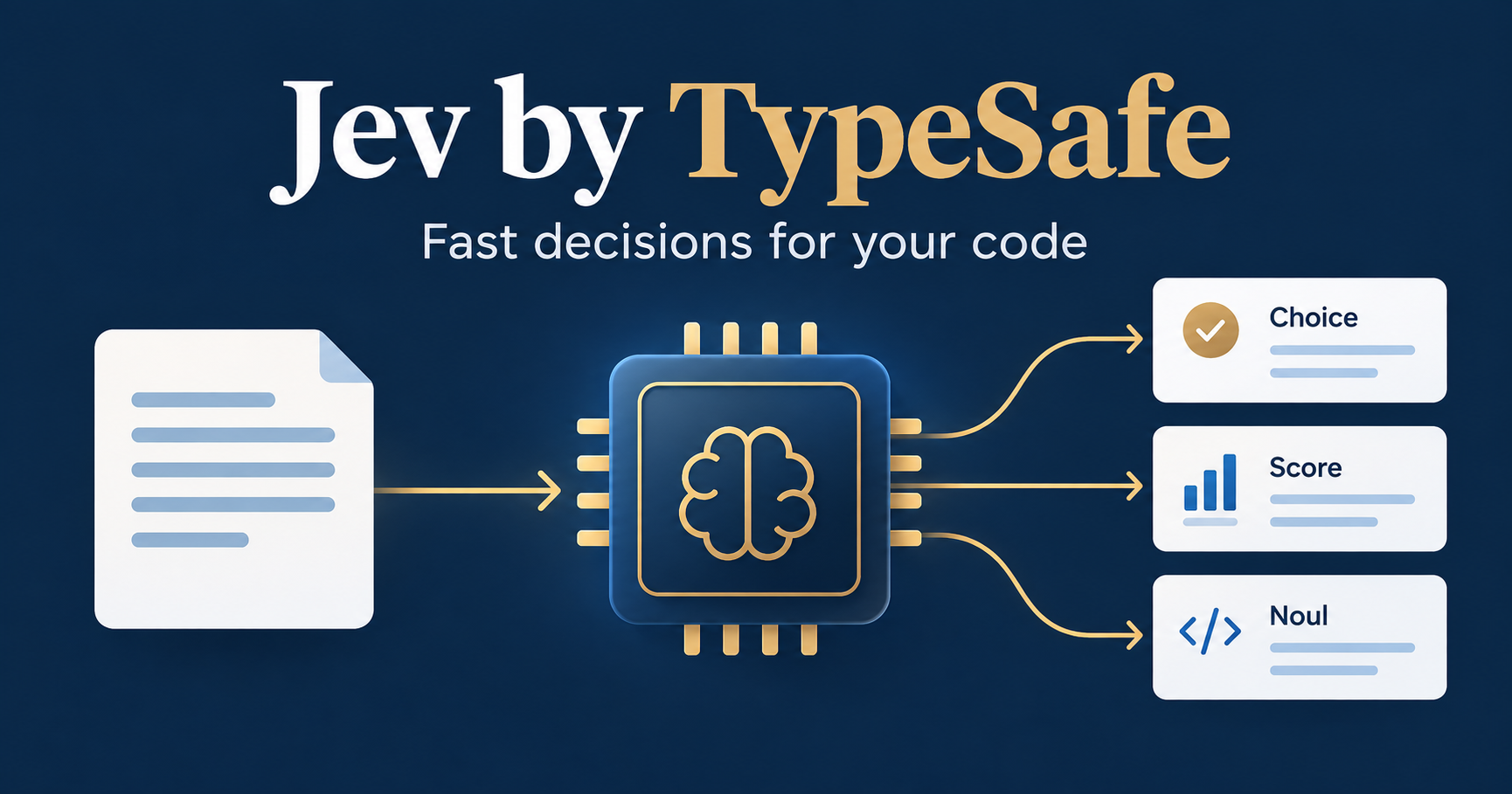
Jev by TypeSafe handles AI calls where your application needs a decision: a label, a score, or a yes/no probability. If you ask an LLM whether a support ticket is urgent and then discard everything except one field, that call is a candidate for Jev.
In the short video below, I cover three uses: choosing which model gets a request, checking an LLM’s output, and selecting the right value from candidates found in code. TypeSafe’s published prices and benchmarks help estimate the potential savings, but each use still needs testing against your own data.

What Jev returns to your application
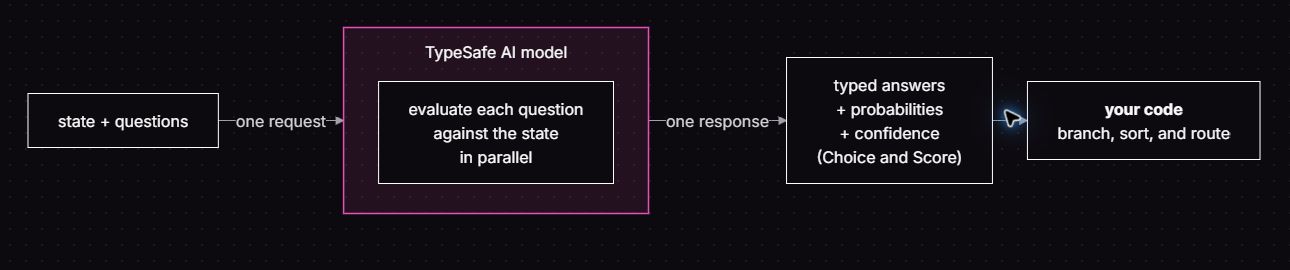
TypeSafe calls Jev a System One model. You supply a state, such as a message or document, and questions that define the judgments you need. Jev returns structured values your code can use without parsing a generated explanation.
The TypeSafe introduction describes evaluating multiple independent questions against the same state in parallel. Keep each question narrow. Your code combines the answers and decides what happens next.
Choice, Score, and Noul
The three question types describe the shape of the answer. They are the building blocks for the three scenarios later in this article.
- Choice: select from options you define. For a support ticket, those might be billing, technical support, or account access. The response includes the selected choice, probabilities across options, and confidence. Include an “other” option when your categories might miss a case.
- Score: place an input on a scale with defined levels. Use it to assess the reasoning difficulty of a request. The response includes a score, the level mapping, probabilities, and confidence.
- Noul: answer a yes/no question with a probability from 0 to 1. Use it to ask whether a source supports a particular claim. A value near 0.5 expresses uncertainty; it does not mean a claim is half true. Noul has no separate confidence field.
You can mix the types in one request. Avoid asking Jev to assess several unrelated things inside one question; separate the judgments so your code can handle each answer.
Jev pricing and potential cost savings
As checked on September 20, 2026, TypeSafe’s model documentation lists Jev 1.13 at $0.042 per million input tokens, or 4.2 cents. Output is FREE. That matches the price discussed in my video.
At that rate, 10 million input tokens cost $0.42, and one billion cost $42. For a planning example, one million calls averaging 1,000 billable input tokens each would cost $42 for Jev. Count the state and question content in your estimate; this is arithmetic from the published rate, not a measured workload.
The savings depend on which calls you replace. Moving a classification call can remove both its old input charge and its generated-output charge. Adding Jev as a checker introduces another call. A router saves money only when enough requests can move to a cheaper model while meeting your quality requirements. Include retries, fallbacks, and review work when you compare the total.
How fast is Jev?
TypeSafe’s September 15 launch post reports end-to-end responses of 70–500 milliseconds. The company also reports results that are 193.6× faster and 444.6× cheaper in its workflow evaluations. Those ratios concern selected System One workloads; they are not a promise for every LLM call.
TypeSafe says the workflow gains are likely at the high end of real-world results. Its published timing tests generally ran from West Coast laptops near the service. Its LLM comparison also requests compatible structured decisions and probabilities, which can cost more and take longer than requesting only a label. The evaluations use other models’ predictions as a reference, rather than independently established ground truth. I have not reproduced these benchmarks.
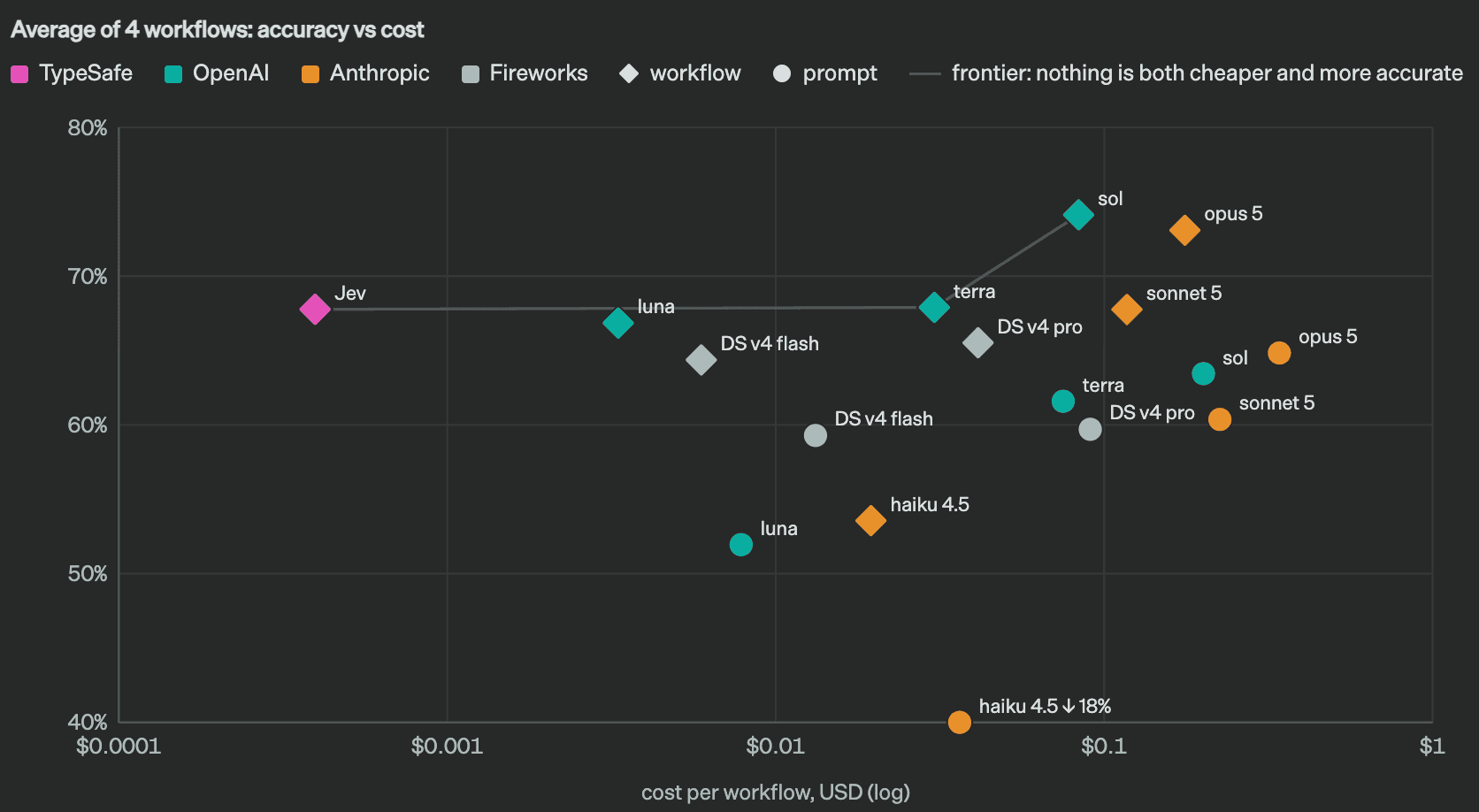
For your own application, measure latency and answer quality on the same inputs and required outputs. A faster judgment is useful only if your workflow can tolerate its mistakes. Include the time spent on fallback calls when you compare response times.
Three practical scenarios from the video
1. Route requests to the right model
Before sending a request to an expensive reasoning model, use Jev to assess its difficulty against a rubric you define. A Score can represent how much reasoning the task appears to need. Application code then selects the model.
For example, distinguish a routine classification from a request that requires several reasoning steps. Send uncertain cases to the more capable path. Evaluate the final answers as well as the routing decision: a cheap route that creates more failures can erase the saving.
2. Check an LLM’s output against its source
Let your LLM write the summary, then supply the source and individual claims to Jev. Ask a separate Noul question for each claim: does the supplied source support it? Your code can flag weak or uncertain claims for review.
This checks support in the material you provided. It does not establish that the source itself is true. Keep the original source available to the reviewer, and test how often the checker misses unsupported claims before using it to approve an answer automatically.
3. Select the right candidate after parsing
In the video, I describe the parsing code that keeps breaking as documents change. Split the job: code finds candidate values, and Jev makes the contextual choice. For example, a parser could collect the dates in a document, and a Choice question could identify which candidate is the invoice date.
Keep the selected value tied to the original text. Include a missing-value option and a review path for ambiguity. Jev cannot select the correct date if your candidate list omits it; candidate discovery, format validation, and date calculations still belong in your code.
Typed answers can still be wrong
Jev does not write replies, generate code, or produce summaries. Those tasks stay with your LLM. It currently accepts text, including text represented in JSON structures, rather than images, audio, or video. Arithmetic and date math should run in ordinary code.
When you see a claim that Jev cannot hallucinate, read it in the context of its constrained output. It can return a valid option and still select the wrong one. Type safety does not prove that a decision is correct.
The confidence documentation explains how Choice and Score summarize uncertainty across their answer distributions. Test thresholds on your own examples, including ambiguous and missing information. For Noul, use its yes probability directly and provide a review range where neither yes nor no is convincing.
Start with one decision you can evaluate against known outcomes. Record accuracy, latency, cost, and how often the fallback runs before replacing the existing call. For more on connecting AI to application workflows, explore my AI and agents learning path and Logic Apps as MCP servers guide.