
Using the default Azure API Management (APIM) hostname works fine from a technical standpoint — but it doesn’t look professional. Long, autogenerated URLs aren’t ideal for production APIs, documentation, or sharing endpoints with consumers.
When I wanted a clean, branded endpoint like api.whyclouds.com without upgrading to an expensive APIM tier or paying for SSL certificates, I found out it is surprisingly simple using Cloudflare.
In this post, I walk through exactly how I set up a custom domain with free SSL for Azure API Management, even on the Consumption tier, using Cloudflare DNS, Cloudflare origin certificates, and OpenSSL on Windows.

Why Use a Custom Domain with Azure API Management
A custom domain for your API gateway isn’t just cosmetic — it delivers real benefits:
-
A professional, branded API endpoint
-
Easier sharing with consumers and partners
-
Better trust and credibility (especially with HTTPS)
-
Cleaner API documentation and examples
The good news is that Azure API Management supports custom domains even on the Consumption tier, making this approach accessible for demos, side projects, and production workloads alike. Even better, Azure does not charge anything extra to add a Custom Domain name!
How Cloudflare Makes Free SSL Possible
Cloudflare plays a key role in this setup by providing:
-
Free DNS hosting
-
Free Origin Server SSL certificates
-
Long-lived certificates (up to 15 years)
-
Simple certificate management through the UI
These origin certificates are perfect for Azure API Management because Azure only needs a valid certificate — not one issued directly to the public browser. I’m sure other DNS providers provide something similar, but I’ve only worked with Cloudflare.
Creating an Origin SSL Certificate in Cloudflare
Inside the Cloudflare dashboard, I navigate to SSL/TLS → Origin Server and create a new origin certificate.
Key choices I make here:
-
RSA certificate type (default is fine)
-
Hostname matching my API domain (e.g.,
api.whyclouds.com) -
Extended validity period (15 years)
Cloudflare then generates two critical pieces:
- The origin certificate
- The private key
⚠️ The private key must be protected. For demo purposes, I display it, but in real environments, this should be stored securely.
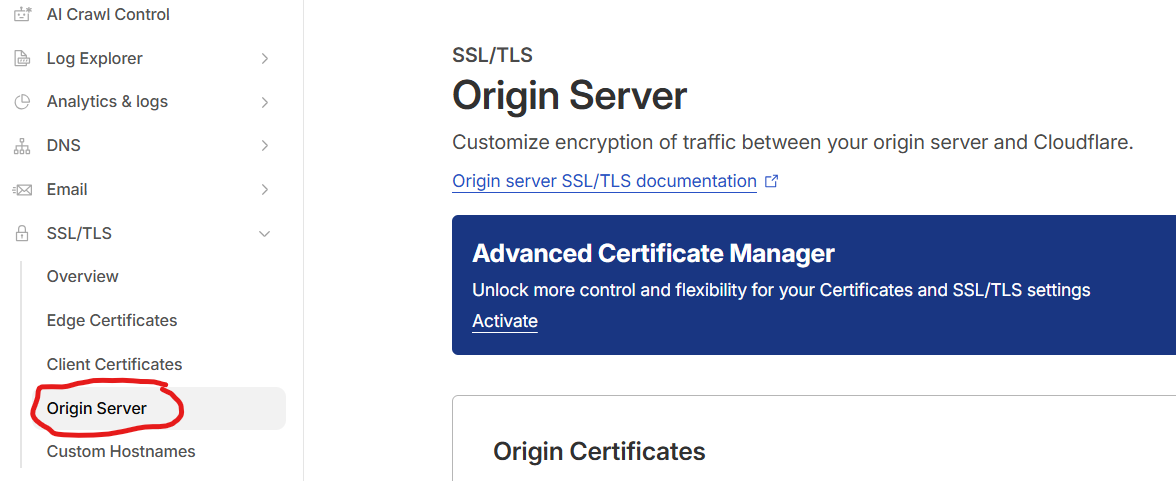
CloudFlare SSL Origin Certificate
Generating a PFX File Using OpenSSL on Windows
Azure API Management requires certificates in PFX format, so the next step is converting the Cloudflare certificate and private key.
To do this, I install OpenSSL for Windows, add it to my system PATH, and run a simple command to generate the PFX file.
This step sounds intimidating, but once OpenSSL is installed, it only takes seconds. I simply:
-
Combine the certificate and private key
-
Set a password
-
Generate the
.pfxfile
This PFX file is what Azure will use to secure the custom domain.
Adding the Custom Domain to Azure API Management
With the PFX file ready, I switch to the Azure Portal and navigate to my API Management instance.
From there:
-
I open Custom Domains
-
Add a new hostname (e.g.,
api.whyclouds.com) -
Upload the PFX file (or use Key Vault in production)
-
Enter the certificate password
-
Save the configuration
Even on the Consumption tier, Azure allows this setup, which makes it incredibly cost-effective.
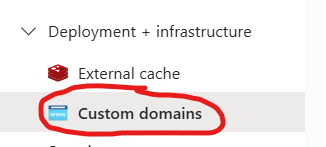
Azure Custom Domains
Configuring DNS in Cloudflare
Before Azure can complete the setup, the DNS record must exist.
Back in Cloudflare, I add a CNAME record:
-
Name:
api -
Target: the original Azure API Management gateway hostname
-
Proxy: Disabled (important for this scenario)
Once saved, DNS propagation usually happens very quickly.
Verifying the Setup and Testing in Postman
After Azure finishes updating the custom domain configuration, I verify that:
-
The certificate is correctly attached
-
The hostname appears under custom domains
Finally, I test the API using Postman, calling the API through the new custom domain. A successful 200 response confirms everything is working as expected.
Conclusion
By combining Azure API Management, Cloudflare, and OpenSSL, I was able to create a fully secured, professional custom domain setup — completely free, even on the APIM Consumption tier. Well, other than paying to register the domain name.
If you’re building APIs on Azure and want a cleaner endpoint without extra cost, this is one of the easiest and most impactful improvements you can make.
Recent Comments